A chat widget that looks like your brand
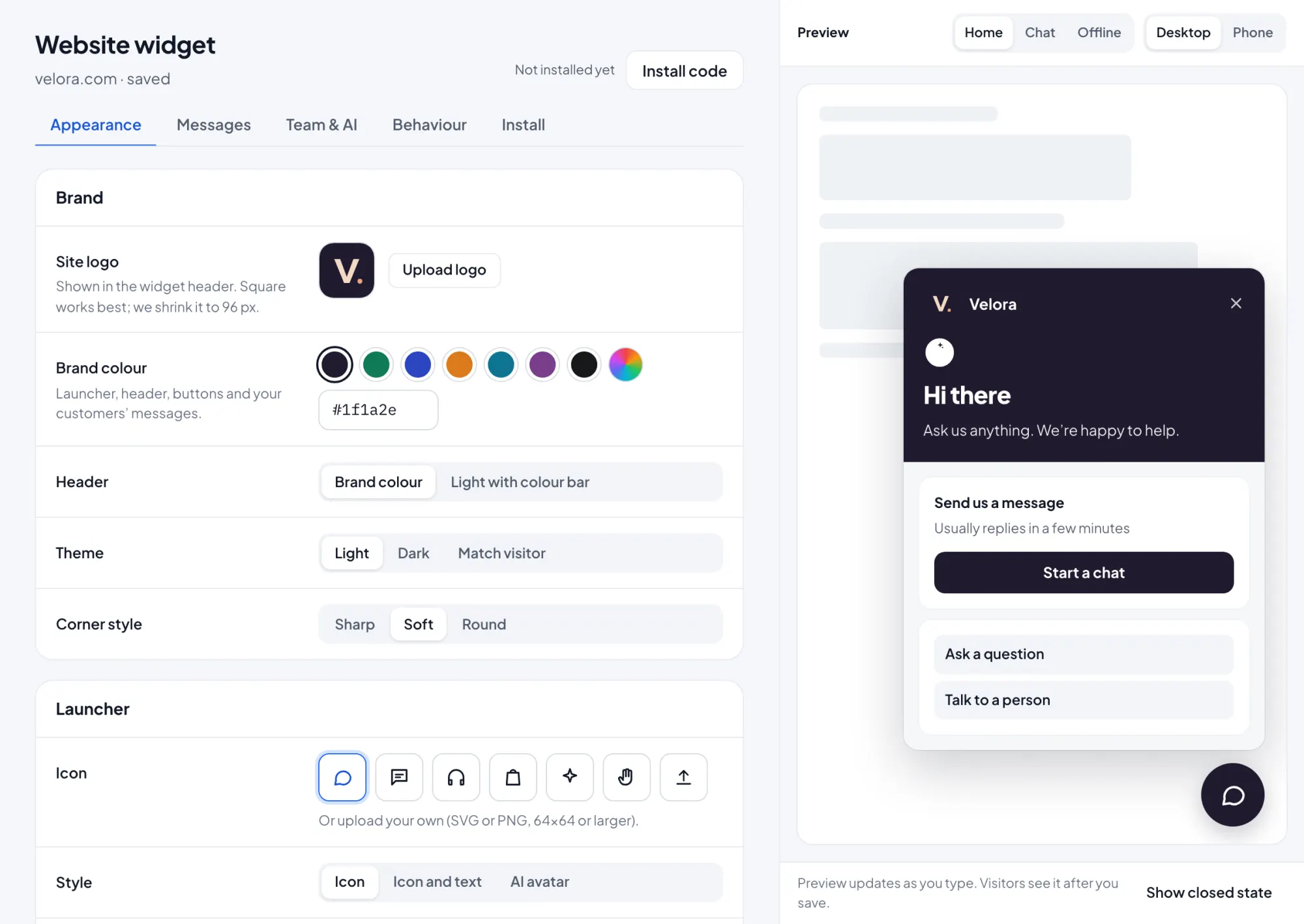
Pick colors, position, greeting and the AI agent’s name and avatar. Install with one snippet or a plugin, on as many sites as you need.
Website widget Included in every plan. Remove Inboxbee branding on Growth and up.
Make it yours in minutes
Change the look and the words without code. Changes show on your site right away.
- Colors, launcher position, greeting and avatar
- Any language, with right-to-left layouts supported
- Identity verification for logged-in users
- Remove Inboxbee branding on Growth and Pro
Set up in three steps
Style it
Choose colors, position and a greeting in the dashboard.
Install it
Paste one snippet before </body>, or use a plugin for your platform.
Start chatting
Chats land in the shared inbox, where the AI agent or your team answers.
Key benefits
Fits your site
Your colors and words, so the widget feels part of the page.
Works where you build
Snippets for HTML, WordPress, Shopify, Wix, Webflow, React and Tag Manager.
Knows logged-in users
Identity verification links chats to the right customer.
Website widget questions
How do I install the widget?
Can I use it on more than one website?
Can I remove the Inboxbee branding?
Does it support right-to-left languages?
Works together
One product, one plan. Every feature shares the same inbox and contacts.
Start answering today
Free for up to three teammates. Add more when you’re ready.