Inboxbee feature
Your inbox in your pocket
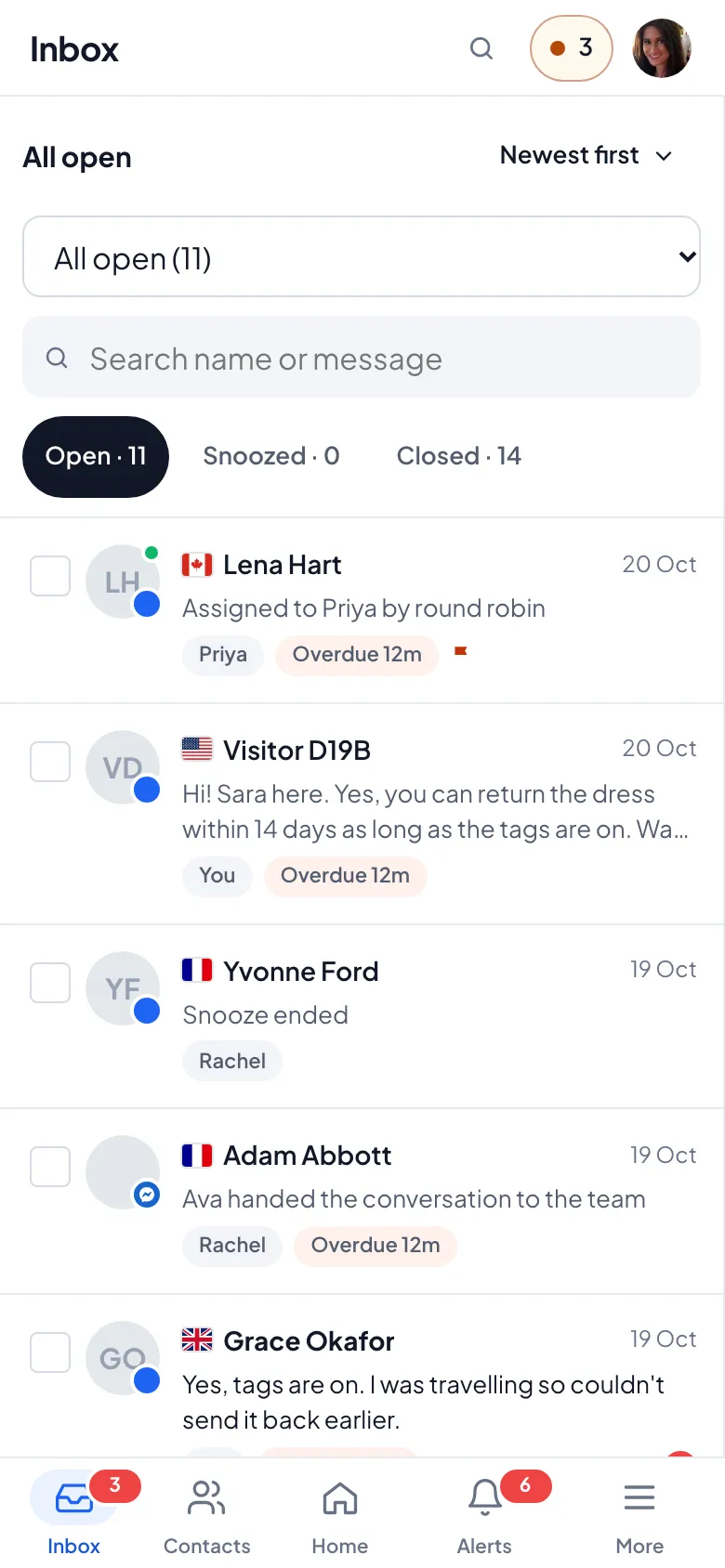
The Inboxbee app for iOS and Android gives your team the same inbox, push notifications for new chats and saved replies on the go.
Mobile app Included in every plan, for every teammate.
Mobile app
Everything you need away from your desk
Answer, assign and close chats from your phone, with the same history your team sees on the web.
- Push notifications for new and assigned chats
- Full inbox, notes and saved replies
- Contacts, live visitors and reports
- Sign in with two-factor; lock the app with your device’s biometrics
How it works
Set up in three steps
Step 1
Download the app
Get Inboxbee for iOS or Android.
Step 2
Sign in
Use your team account, with two-factor if it’s on.
Step 3
Turn on notifications
Choose which chats should notify you.
Why teams use it
Key benefits
Never miss a chat
Push notifications reach you when a chat is new or assigned to you.
Same inbox everywhere
Web and mobile stay in sync in real time.
Secure by default
Two-factor sign-in and an optional biometric app lock.
FAQ
Mobile app questions
Is the mobile app included?
Yes. Everyone on your team can use the iOS and Android app.
Can I use saved replies on mobile?
Yes. Your shared and personal saved replies are available in the app.
Which notifications will I get?
Push notifications for new and assigned chats. You choose what to receive in the app settings.
Also in Inboxbee
Works together
One product, one plan. Every feature shares the same inbox and contacts.
Your first chat is minutes away
Start answering today
Free for up to three teammates. Add more when you’re ready.