Know how fast you answer
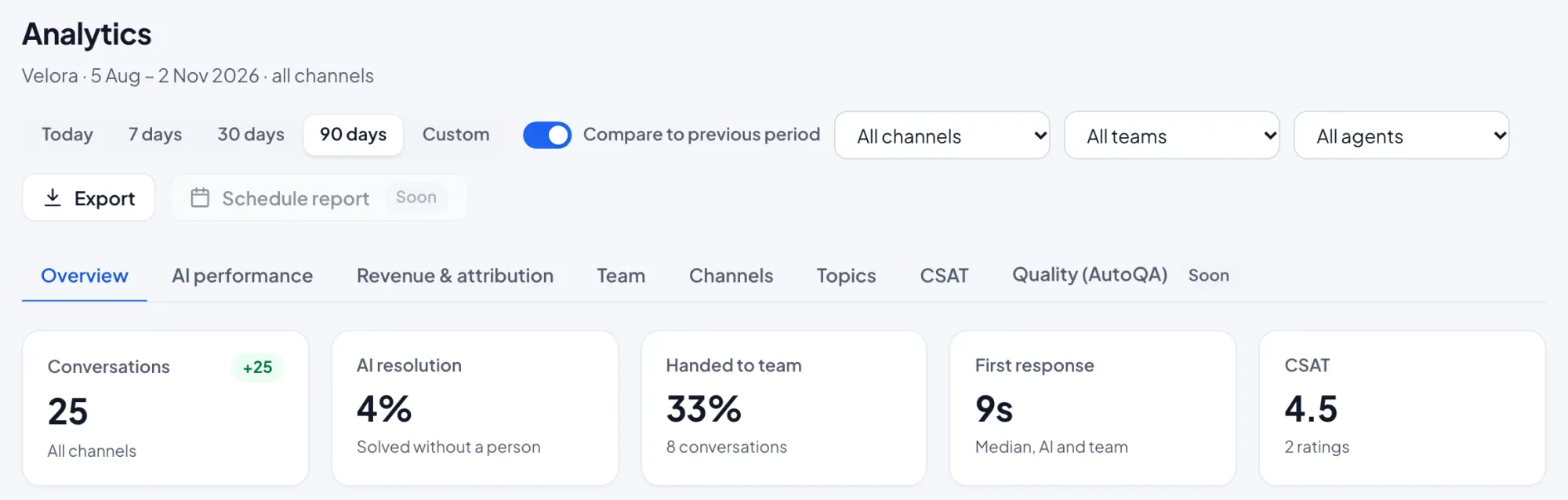
See volume, first response and resolution times, AI versus human, CSAT and topics, per channel and per teammate.
Reports Basic reports in every plan. Full reports on Growth and up.
The numbers that matter
Reports are built from your real conversations, so you can see where customers wait and what the AI handles.
- First response and resolution time
- AI resolution and handoff rate
- CSAT and busiest hours
- Per channel and per teammate views
Set up in three steps
Start answering
Reports fill in as conversations happen. No setup needed.
Turn on ratings
Ask for a CSAT rating after a chat closes, with an automation template.
Review weekly
Compare channels and teammates, and adjust staffing for busy hours.
Key benefits
See where customers wait
First response time by channel shows where to focus.
Measure the AI
See how many chats the AI resolves and how often it hands off.
Plan your team
Busiest hours help you set working hours and routing.
Reports questions
What do reports include?
Can I see reports per teammate?
How is CSAT collected?
Works together
One product, one plan. Every feature shares the same inbox and contacts.
Start answering today
Free for up to three teammates. Add more when you’re ready.