The right chat, to the right person
Route new conversations round robin or to the least busy teammate, within teams and working hours. Automate the routine with triggers and actions.
Routing and automations Basic automations on Starter and up. Advanced routing and campaigns on Growth and up.
Triggers, conditions, actions
Start an automation when a conversation opens, a message arrives, a chat closes or a contact is created. Check conditions, then act.
- Round robin or least-busy routing per team
- Working hours and away messages
- Conditions on channel, tags, contact attributes and business hours
- Actions: send a message, assign, tag, add a note, set priority
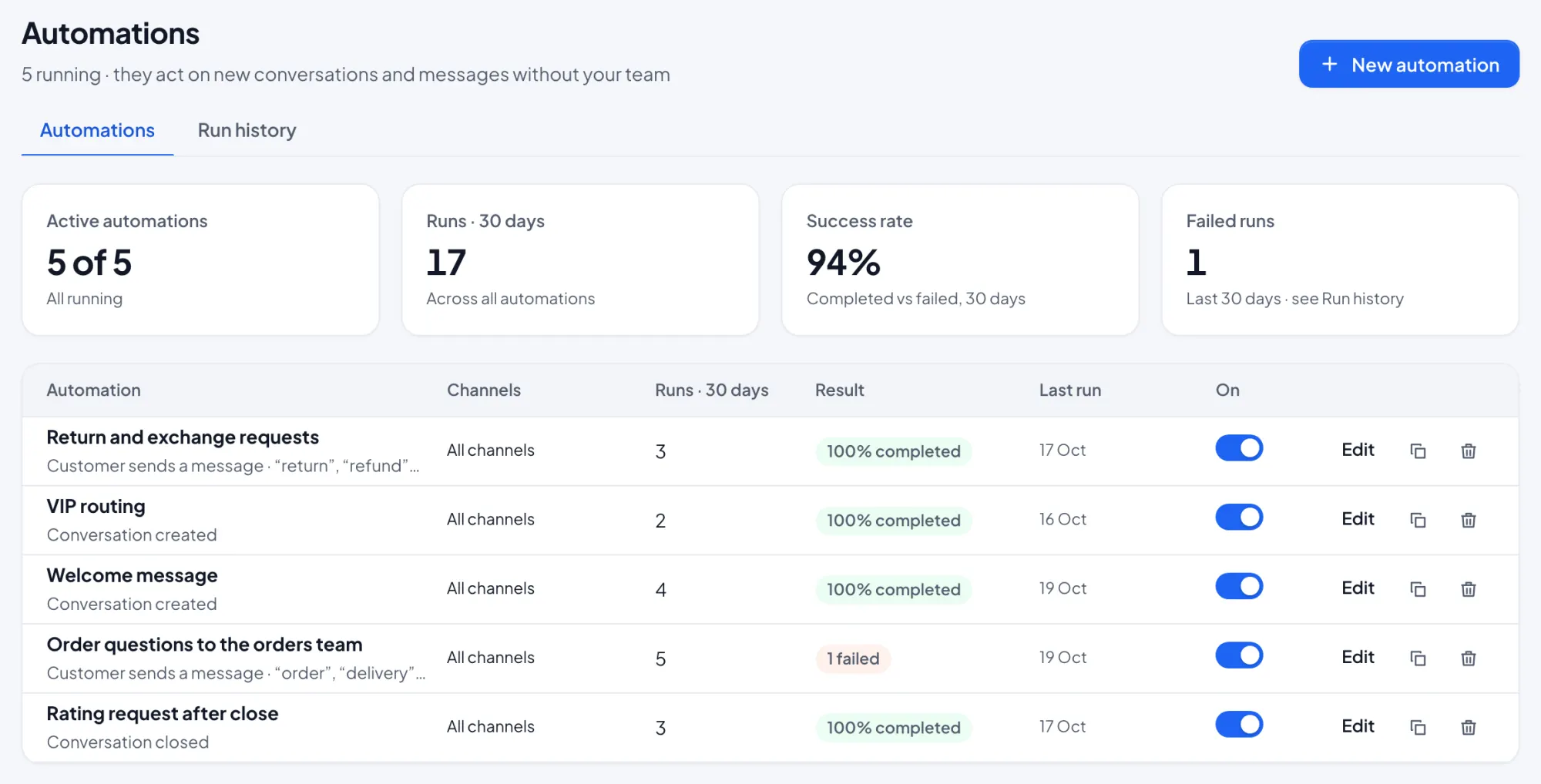
Start from a template
Ready-made automations cover the common cases. Turn one on and adjust it.
- Welcome message and after-hours auto-reply
- Rating request after close
- Follow up when the customer goes quiet
- Qualify new leads, VIP routing, order questions to the orders team
Set up in three steps
Pick a trigger
For example, a new conversation or a message received.
Add conditions
Channel, team, tags, contact attributes or working hours.
Choose actions
Assign, tag, reply or add a note. Turn it on.
Key benefits
Faster first replies
Chats reach someone who is online and free.
Fair workload
Round robin and least-busy routing spread chats across the team.
Less busywork
Welcome, after-hours and follow-up messages send themselves.
Routing and automations questions
How are chats assigned?
What happens outside working hours?
Can I send broadcasts?
Do I have to build automations from scratch?
Works together
One product, one plan. Every feature shares the same inbox and contacts.
Start answering today
Free for up to three teammates. Add more when you’re ready.